Music Bingo v1.1.1 - A Lot of Little Things
... Add up to make a big thing, and this last weekend has been a very long list of little things, along with a couple of big things. Let us start with the little things.
- Card Logo now defaults the Game Color to match
- The Playing bar in the Play screen now adopts a more elegant set of play controls
- Manual Mode play is now a lot cleaner in the UI.
- Played / Marked songs get moved to the top of the list
- Played songs get a played order on the list.
- Song list in Play is not alphabetical to improve manual marking ease of use
- Card Generation logic cleaned up to be far less convoluted
- Added a Publish session to the Close Session library
- Enabled the Shared Library view where a user can build a session using a pre-existing shared session
- Added an entirely new simpler 'new session wizard' to make adding new sessions faster and easier
A Big Thing:
- A new Shared Library section exists where pro users can publish and share sessions that worked well for them
- Everyone can download shared Sessions.
That is a pretty long list of 'little things', and it applies to the Music Bingo for Apple platforms code. It has been no secret that we always intended to deliver a Windows version as well, and possibly an Android version. Both of these presented some pretty significant challenges. While Apple Music and Shazam both have applications for both platforms, the programming interfaces to integrate them into a tool like Music Bingo more than a little tricky.
Shazam - The Magic of identifying a song by listening
Shazam is awesome, and reimplementing that is far beyond the scope of our skillsets, so that was never an option. Apple does offer a ShazamKit for Android that works a lot like the Apple kit, but nothing for Windows, and looking around, there really were not any solid prebuilt options. That really put a spike in the wheel of the Windows host application, and early research raised some concerns about it working on Android. Many of the attempts to use it by others did not go well based upon the noise in the various developer discussion boards.
This REALLY put a damper on the prospects of being able to do anything but a fully manual game. Still easier than full paper, but not our goal.
Apple Music - The soul of the 'automatic' game play
As good as Apple Music is, the integration tool there is called MusicKit, and while it was once published ( and is still available ) by Apple for Android too. It was never published for Windows though. That meant that even with ShazamKit, both platforms would be limited to purely manual mode work.
Other platforms
We did spend time evaluating a bunch of other options, and nothing really jumped out as a 'good option'. Spotify specifically forbids, Amazon, YouTube, Pandora, etc, none really offer a good automation interfaces (yet). For Shazam replacements there are several, and they are arguably better, but at the same time, they carry a cost burden that would have required subscription fees in the applications that we would really prefer to avoid.
All Was Not Lost though
Armed with a little knowledge, a lot of caffeine and a desire to make it work, we set off into the mists of the unknown and hopeful. We started with ShazamKit on Android, using Apple's authentication process. After a couple of hours of work, we had a working Music Bingo Host ( and Player/Companion ) working with full Shazam support. That, in and of itself was a big step forward. For the first time the tools felt worth while on Android. From there a quick implementation of the Apple supplied MusicKit that is now over 6 years old without updates, ended exactly how we expected. Non-functional.
Working in parallel was the Windows team. This was a FAR more ambitious project. The plumbing to do what we wanted simply did not exist.
After a couple of days, working from a partially complete specification we found online, that may or may not have been valid ( it was, just enough that we managed to guess our way to a result ), we managed to get a working Shazam client library, using the same authentication path that Apple provides for the Android library, which should, in theory at least, keep it in compliance with Apple's established usage guidelines. The result, the Windows Host and Player could both support Shazam listening as well. The same situation, finally viable, if not ideal.
And Then there was Music
This one, we had to get creative. At the heart of the issue was the lack of a good integration model. However, Apple does publish and share one additional possible vector of use, MusicKit for the Web. Much like the Shazam work, we already had the authentication model and credential model understood well enough that we could make that work, the question was, could be use that model from Android and Windows? The answer it turns out is, yes. It is not perfect, but it works quite well.
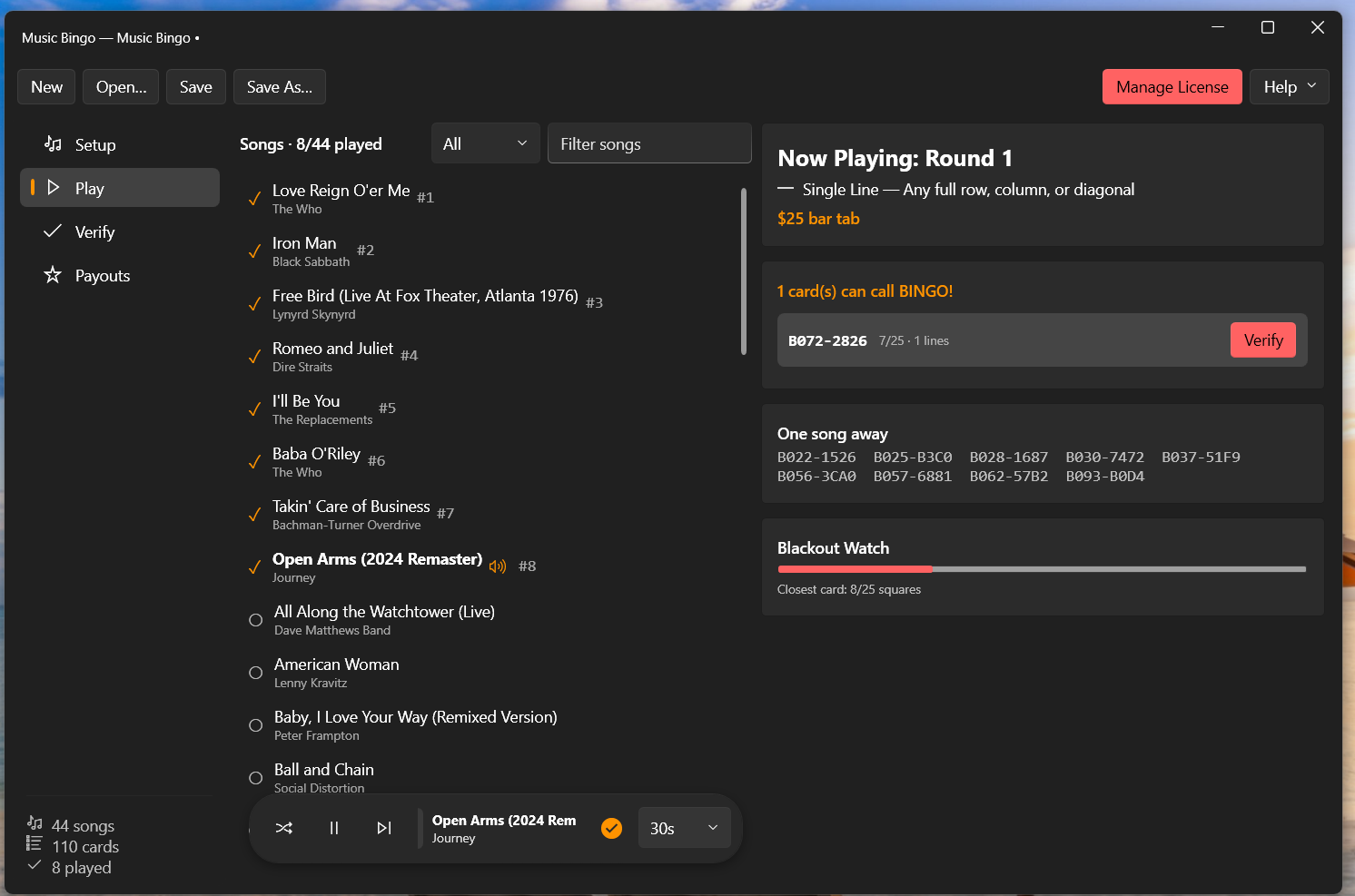
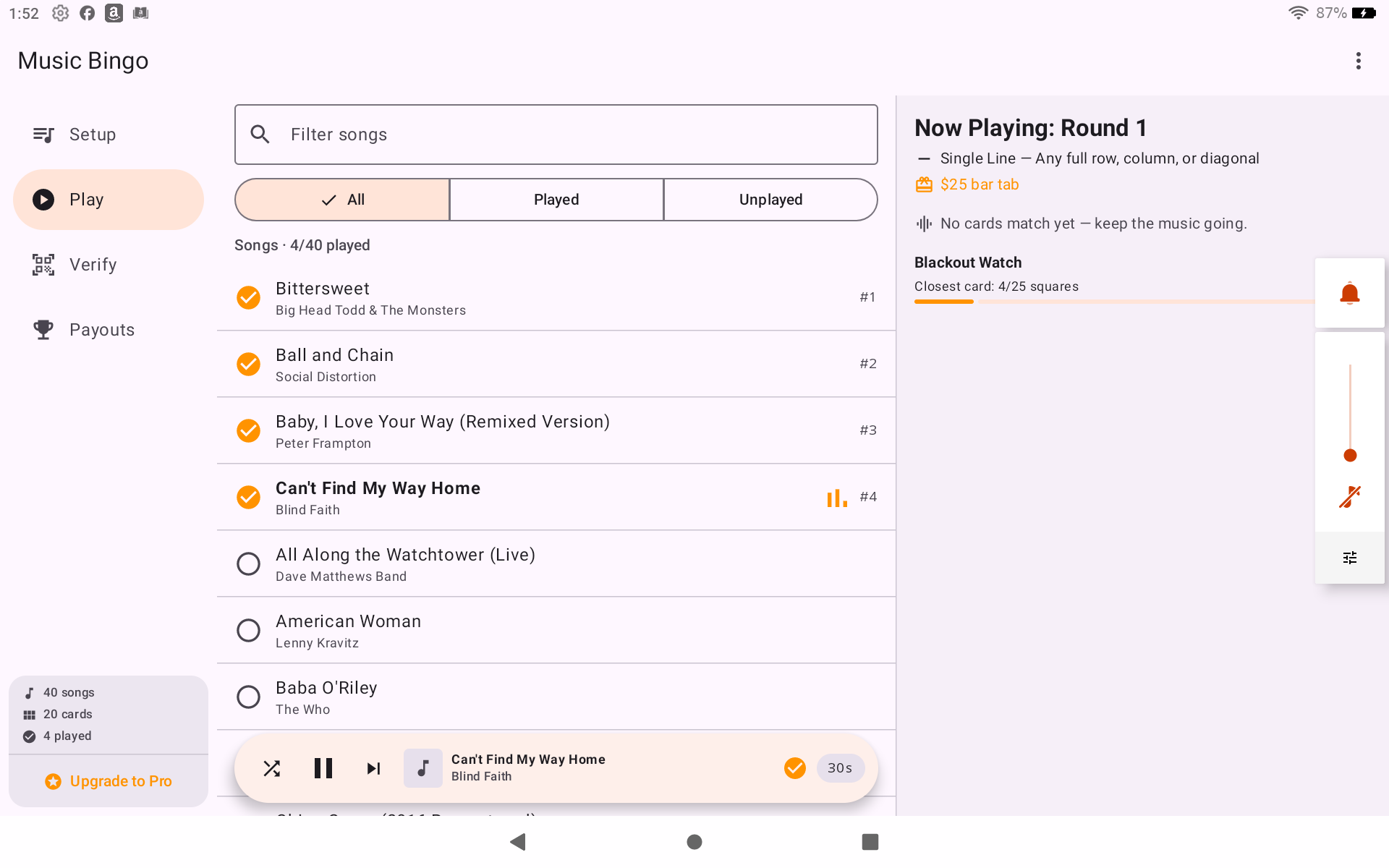
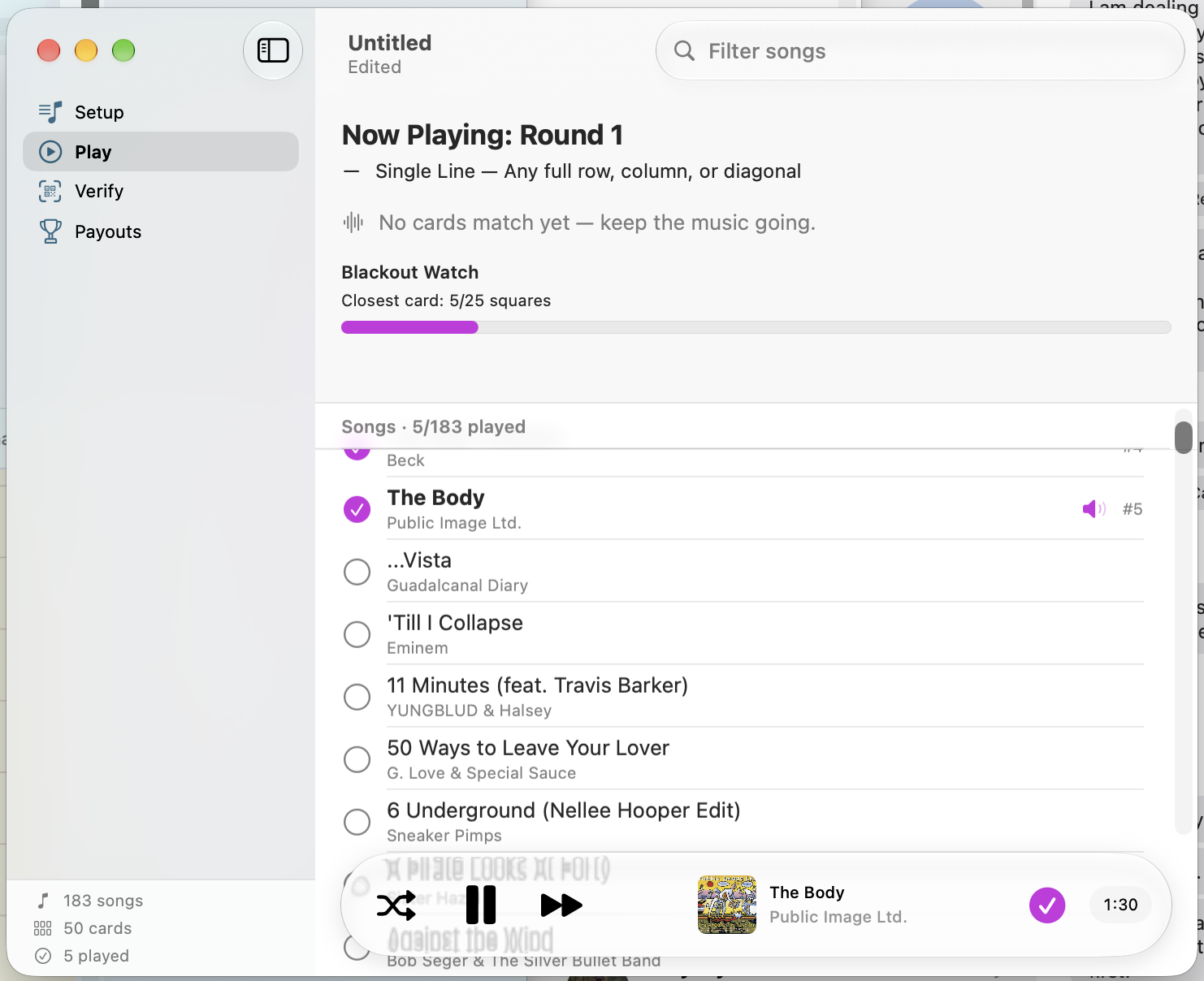
So, screenshots below, and we still have some refinements to clean up and nail down before we can put it in peoples hands, but the nuts and bolts work.
__Android on an Amazon Fire Tablet
macOS on MacBook Neo
Windows on Surface Pro ( ARM )